Saturday, November 2, 2013

Sicilian Window Project

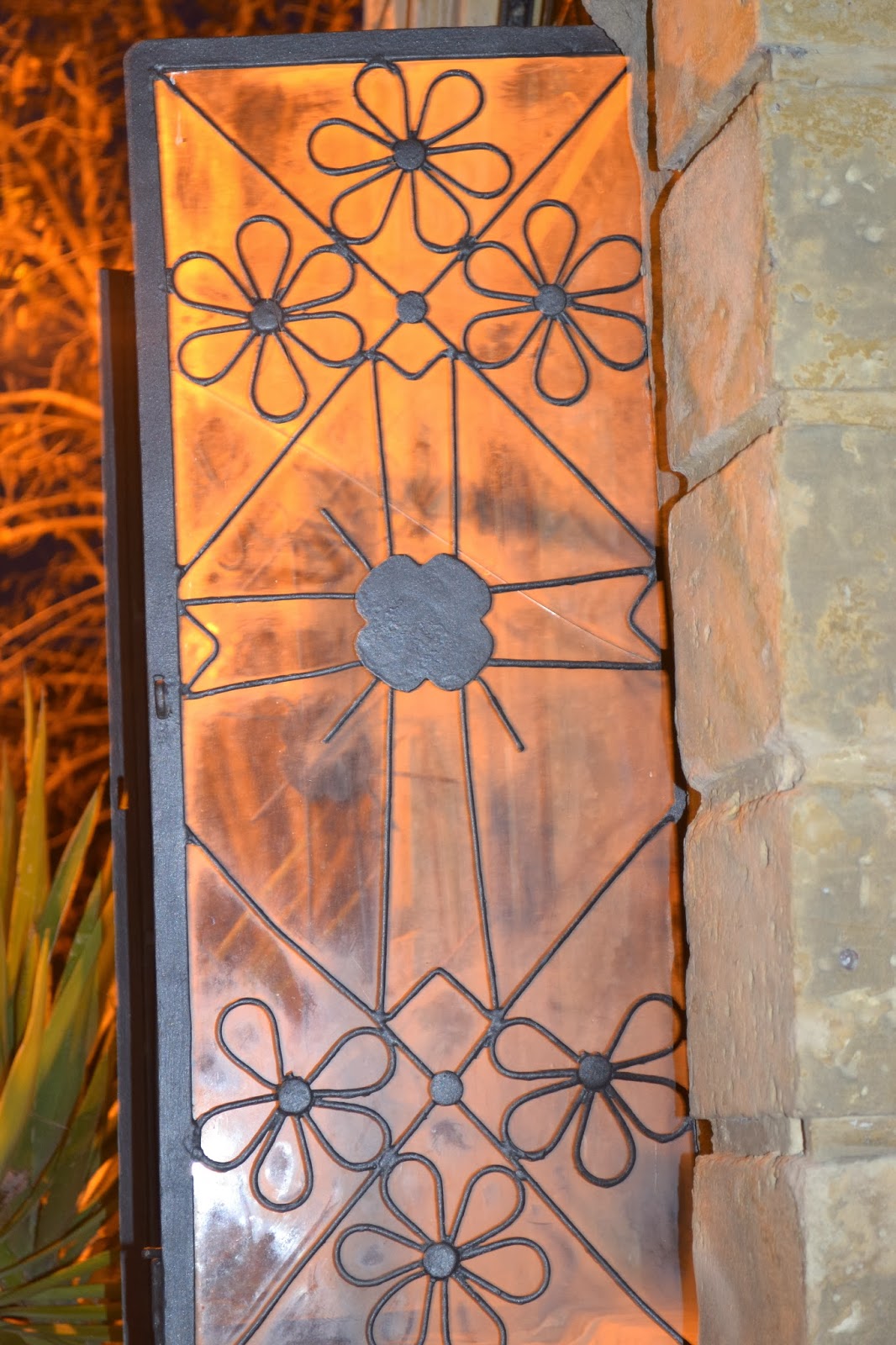
  The inspiration for this project is a window I found one night strolling through the little town of Motta Sant'Anastasia.


Here is the original:


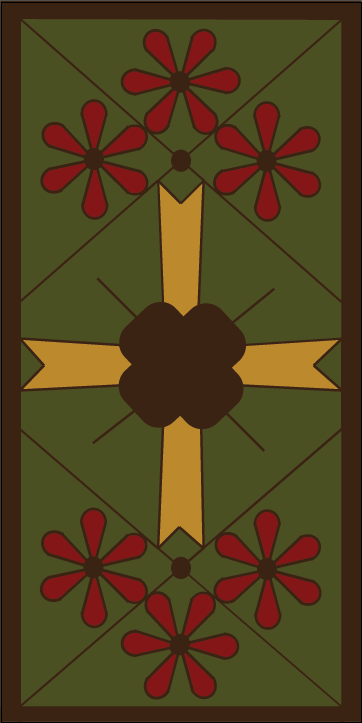
And here are the redesigns I did in Adobe Illustrator: 


Thursday, October 31, 2013

Modern Hexi Quilt

    This is the Modern Hexi Quilt I am working on right now. In-between watching horror movies and handing out candy to trick or treaters. 


Wednesday, October 30, 2013

Snowflake Designs

    These are just some designs I tried out with in Adobe Illustrator. Despite their complicated appearance, they are really easy to make. 

(I have the Photoshop CS6 package.)  

For those who know a little bit about Adobe Illustrator: 

-You make a sphere, it really does not matter what size because you will be adjusting it. My advice is to make it larger at fist and those inexperienced with the program, it makes it easier to see what you are doing, you can do what is easier for you.

-Next you click the white mouse at the top of the side menu (it is important to click this first otherwise you will get an error message) then click on the pen tool and click the change anchor points tool (it looks like a sideways V.)

-Click at the top of your circle and the bottom of your circle. It should now look like a leaf shape. You can adjust it to make it bigger or smaller, longer or shorter. 

-Press Ctrl+Alt, hold and drag (this is to copy the leaf shape, it copies any shape/grouping/whatever and is a good thing to keep in mind in future).

-Line the leaves up until they are vertical to one another. There will be a neon green line that will say intersect when they are perfectly matched together. You can either click and drag the leaf into place or you can use your arrow keys.

-Highlight the leaves. Right click and press group. These are now one group and you can drag them all over you paper without them separating. 

-In the menu bar at the top click on effects and then click on distort and transform. Hover over distort and transform and there will be many options that pop up on the right. Click transform. 

-A control box will pop up. You can change the angle of your leaves by degrees. For my project I changed my leaf angle to intervals of 15 degrees. Press preview and you can see the tentative changes before they are permanently made. If you just want jut a black outline make sure to have no fill selected beforehand. You can change the number of leaf sets by using your up and down arrows. Click ok.

-Your shape should look similar to a flower. 

-Using the menu at the top of the page, click object. Then click expand appearance.

-Highlight your group and go back to the menu at the top of the page and click on distort and transform again. If you hover over you will get the same list of options. Click pucker and bloat.

-This is the fun part. By dragging the slider you can control how distorted your flower shape will become. Click preview to see any changes made beforehand and when you are satisfied click ok. 


 Where you able to follow all of that? I hope so! Here are the patterns that I created with the steps above.


Monday, October 28, 2013

Next Big Step

  For the last four years I have had the wonderful opportunity to live in Sicily. I can't say that I have actually carried a full on love affair with Sicily, more like Sicily and I have developed a mutual respect for one another.With the occasional power outages (for no reason), kamikaze scooter operators, the whole "You're an idiot if you're not Italian look," beautiful architecture, and coma inducing sweets.....I find myself becoming a bit melancholy about leaving, and I wonder why this should be. 

  The time that I have been here has been transforming. When I leave Sicily (4 months and counting), I will be leaving knowing that I am not the same person I was when I arrived. I have accomplished so much learning about myself in the process. I think part of me is worried that, when I go back to the states that my slate will be wiped clean and I will be set back at zero. On the other hand I suffer from "Big Fish In Small Pond" syndrome, and I am dying to try out my newfound philosophies on life, to see where they will take me. In short I am ready for an adventure. You know a wise man once said "It's a dangerous business, going out your front door. You step onto the road, and if you don't keep your feet, there's no knowing where you might be swept off to."

 So now comes the next big step in my journey. In March 2014 I will be moving to Chicago to try my hand at Interior Decorating in The Windy City. To say I am excited is an understatement, to say I am scared is also an understatement. I cannot however stay where I am. It is time for all or nothing, and I am ready to give everything to achieve all that I want out of life. 

Sunday, October 27, 2013

Adobe Illustrator (Just For Fun)

    I did these in Adobe illustrator just for fun and to brush up on my adobe skills. Which have been laying dormant for a few months collecting cobwebs. Feel free to use any of these templates that you like, I don't mind :) Enjoy!


Saturday, October 26, 2013

Invitation

            I was just practicing my new Microsoft Word skills that I learned in my previous assignment (I passed the class with a 94%). This is what I came up with. It was all made with Microsoft Word.


(This is NOT a real invitation, although I wish it was!)

Sunday, October 20, 2013

Microsoft Word Graded Project

  When I quit the Art Institute and started attending Penn Foster, there were some credits that did and didn't transfer over to my desired degree. So I have to retake the love 'Information Literacy' class again. This course is not as in depth as the course I took at the Art Institute. I know, not very lovely and interesting but a necessity. The upswing is that I get to take 'The Essentials of Psychology', next, which I am pretty jazzed about.

Anyways here is yours truly has learned in this course (which I can now add to my stellar business card making skills)